
ACCOUNT Tab
Summary
Section titled “Summary”This tab allows you to manage the authentication state of DASSIT™
Description
Section titled “Description”This tab shows two different layouts depending on your log state
Not logged
Section titled “Not logged”Page shows three different ways to log into your license:
- Through Google authentication service (1)
- Through Microsoft authentication service (2)
- Manually with email and password (3)
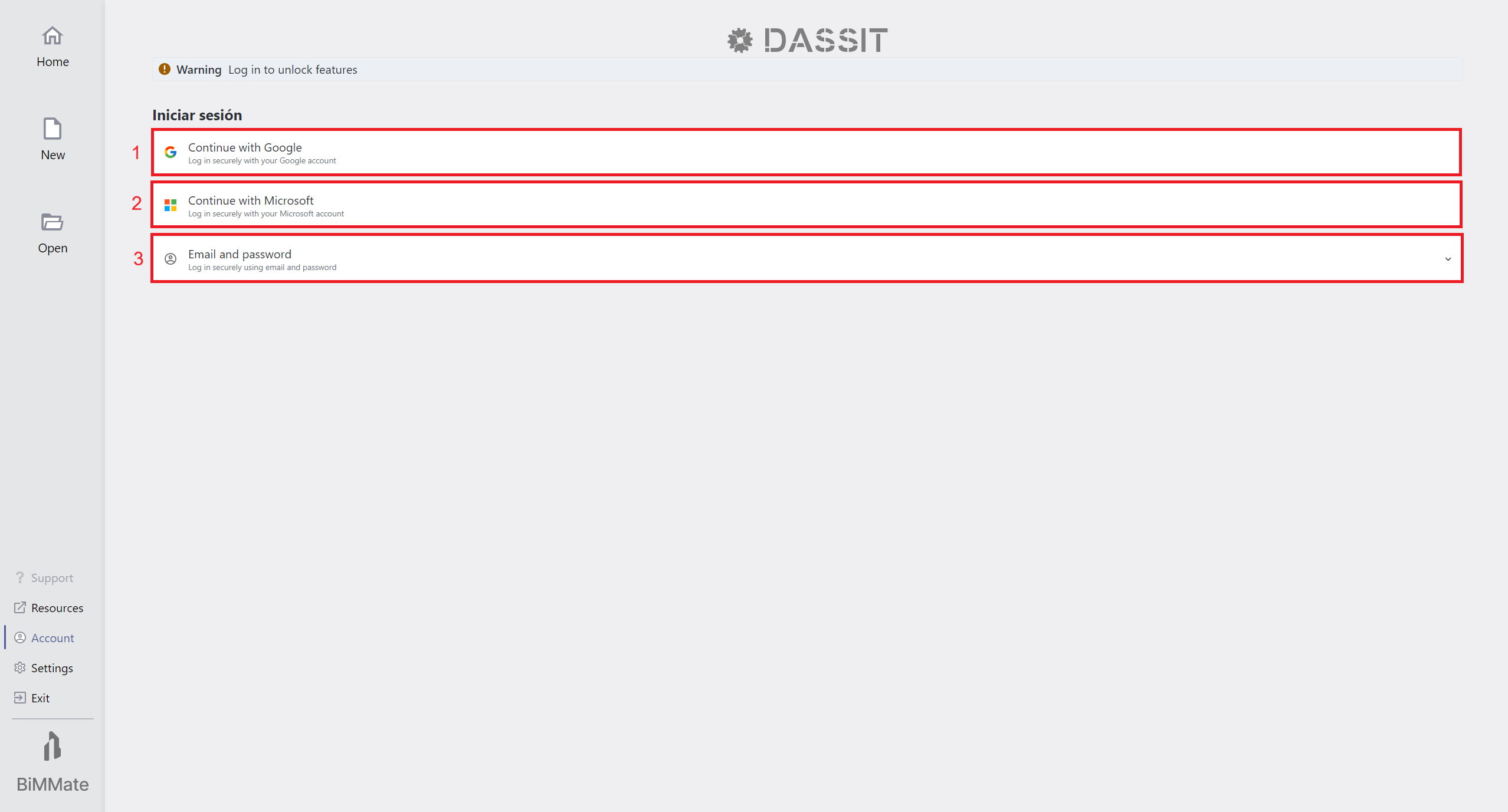
Backstage ACCOUNT Tab in not-logged state
Logged-in
Section titled “Logged-in”Page shows your license info (4), plus a link to manage the license (5) and the log-out button (6)
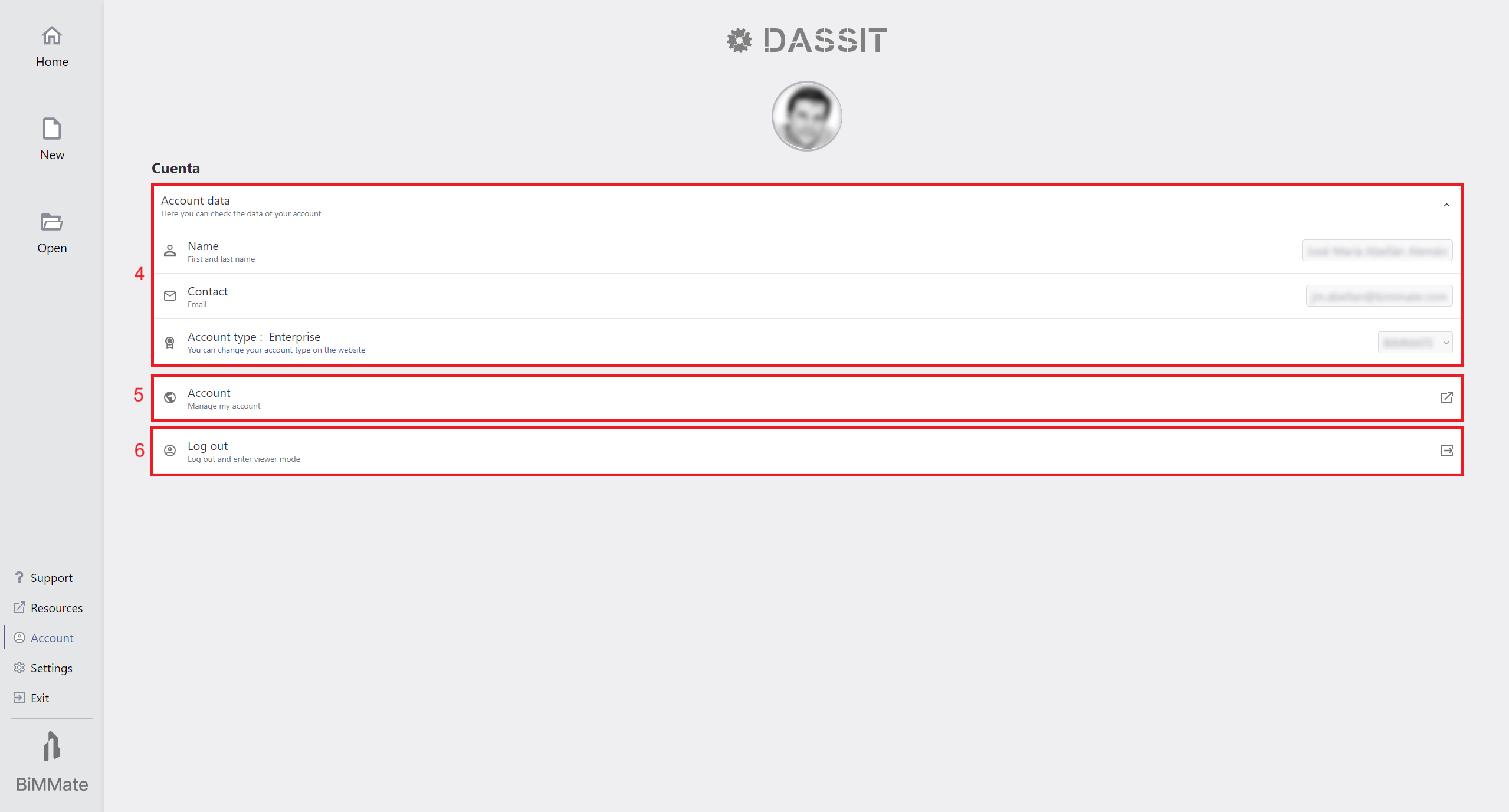
Backstage ACCOUNT Tab in logged state
Context Menu
Section titled “Context Menu”The UI control does not contain a context menu