
Recoding the document
Summary
Section titled “Summary”This tutorial will explain the different choices that you have to recode your document
Description
Section titled “Description”DASSIT™ is a multi-coding cost-management application that is capable to work with several coding system for the budget items at a time
The backstage settings tab allows you to select among different recoding algorithms that will impact how changing a budget item’s code works
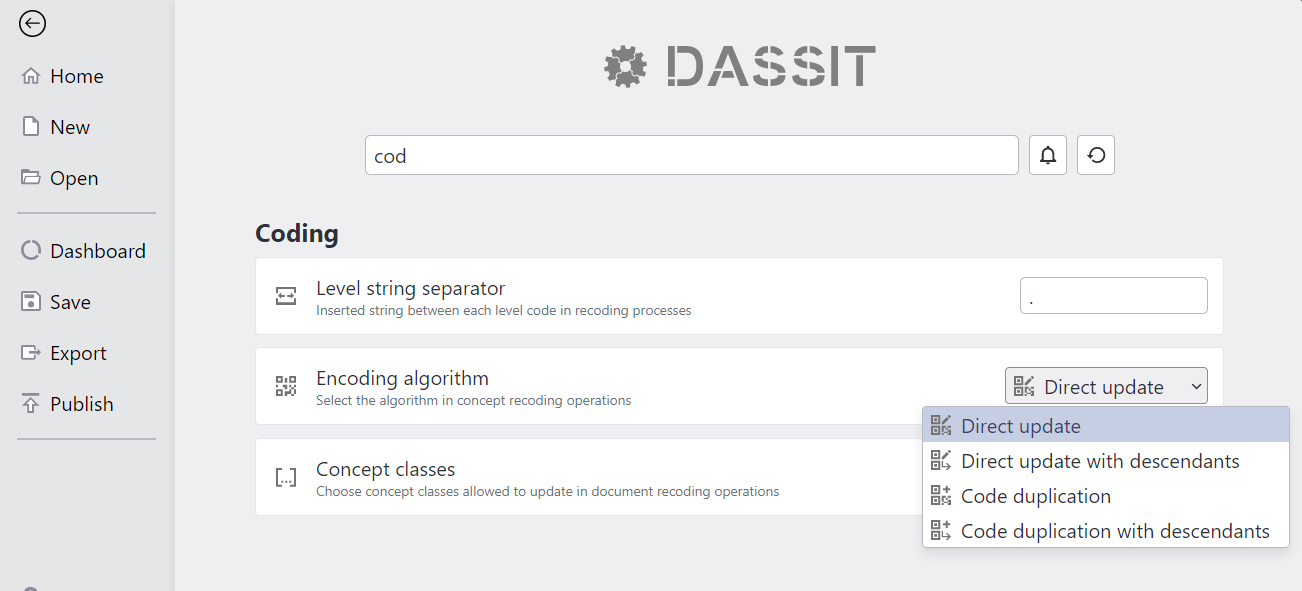
Backstage settings tab showing coding algorithms
Be aware that, right after recoding any budget item, the coding algorithm will come back to default
There are different UI controls where you can recode a budget item, such as the property grid, or the document’s budget view or items view, as in the video below:
Whole four coding algorithm workflows
Direct update (default)
Section titled “Direct update (default)”By using this algorithm, any change in a budget item code will just affect that budget item alone in the current coding system
This is the default value and any other algorithm choosen will switch back to this after usage
This algorith will create no new coding algorithm
Direct update with descendants
Section titled “Direct update with descendants”By using this algorithm, the updated budget item and all its descendants will update accordingly within current coding system
The new code you input for a budget item will be applied to that item, but it will also be the root to generate the desdendants codes combining the root and the nesting level using the separator string (1)
The algorithm is smart enough to figure out the pattern you input and restart it for each nested level
You can also select which concept classes (2) are allowed to change. If an item to recode belongs to a disabled class, it will be skipped
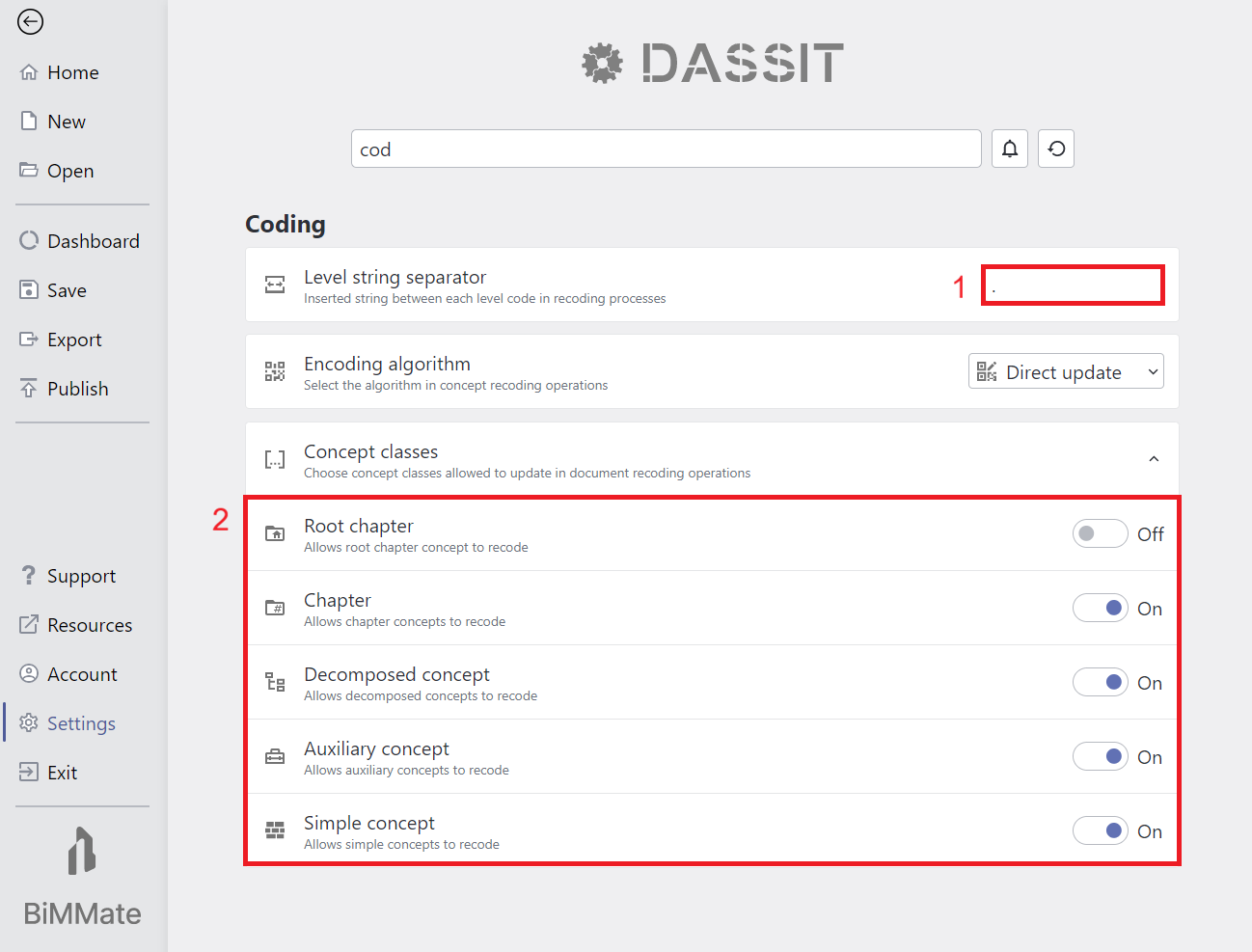
Backstage settings tab showing coding level separator and allowed classes to update
This algorith will create no new coding algorithm
Code duplication
Section titled “Code duplication”This algorithm is similar to Direct update, but it first creates a new coding system to apply the change to
A new coding algorithm will be created
Code duplication with descendants
Section titled “Code duplication with descendants”This algorithm is similar to Direct update with descendants, but it first creates a new coding system to apply the changes to
A new coding algorithm will be created
Context Menu
Section titled “Context Menu”The UI control does not contain a context menu