
Docking UI controls
DASSIT™ implements a UI controls’ docking system as it is a very customizable way to organize massive information on screen, allowing you to focus on what really matters for the current task
The docking system main features are:
- Ability to hide/show controls at will
- Ability to arrange controls as tabbed items
- Ability to split available space into controls and dinamicaly resize them at will
- Ability to float controls out of the main application area, even to a different screen
- Ability to auto-hide controls
- Ability to save/restore workspaces for quick scenarios swapping
DASSIT™ implements two hierarchies of docking, both of which can be accessed throughout the Ribbon menu:
- Single application-level docking system
- Multi-document docking system
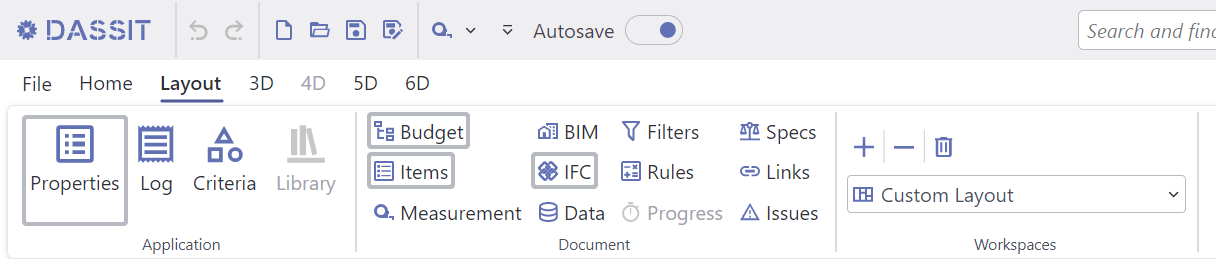
Ribbon's Layout Tab showing Application and Document available docking controls
Worth to know that UI controls belonging to different hierarchies cannot interact among