
EXPORT Tab
Summary
Section titled “Summary”This tab allows you to export any of the currently open documents to different formats, such as BC3, CSV or XLSX
Description
Section titled “Description”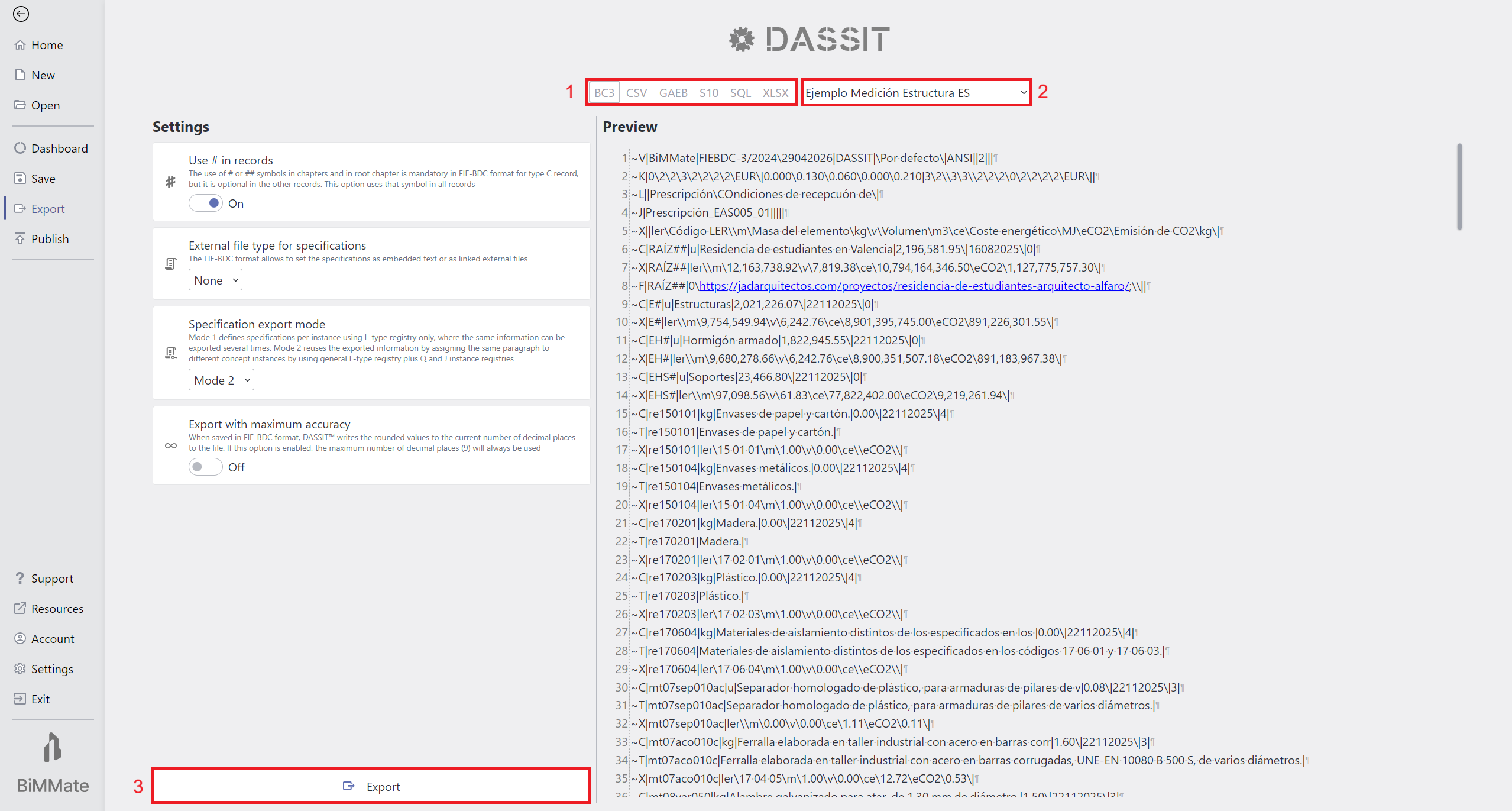
Backstage EXPORT Tab showing up an open document in BC3 format
Like other backstage pages, there is a header on top that allows you to:
- Select the export format (1)
- Select the document to export (2)
Currently, these are the supported formats in DASSIT™ and the license type required:
| Format | Description c | License |
|---|---|---|
| BC3 | Spanish Fexchange format for price databases and cost estimations as defined by IE-BDC | Any |
| CSV | Comma-Separated Values exchange format | Any |
| GAEB | German cost databases exchange format (XLSX like) | Any |
| S10 | Cost database propietary format used in Peru | Any |
| SQL | Structured Query Language is the universal standard language to manage relational databases | Enterprise |
| XLSX | Standard spreadsheet format | Any |
The export options, shown as auto-explanatory setting cards, will vary depending on the selected export format
At the bottom of the left column, the export button (3) will process the export and generate the file
Context Menu
Section titled “Context Menu”The UI control does not contain a context menu