
SETTINGS Tab
Summary
Section titled “Summary”This tab allows you to configure the application layout and behavior
Description
Section titled “Description”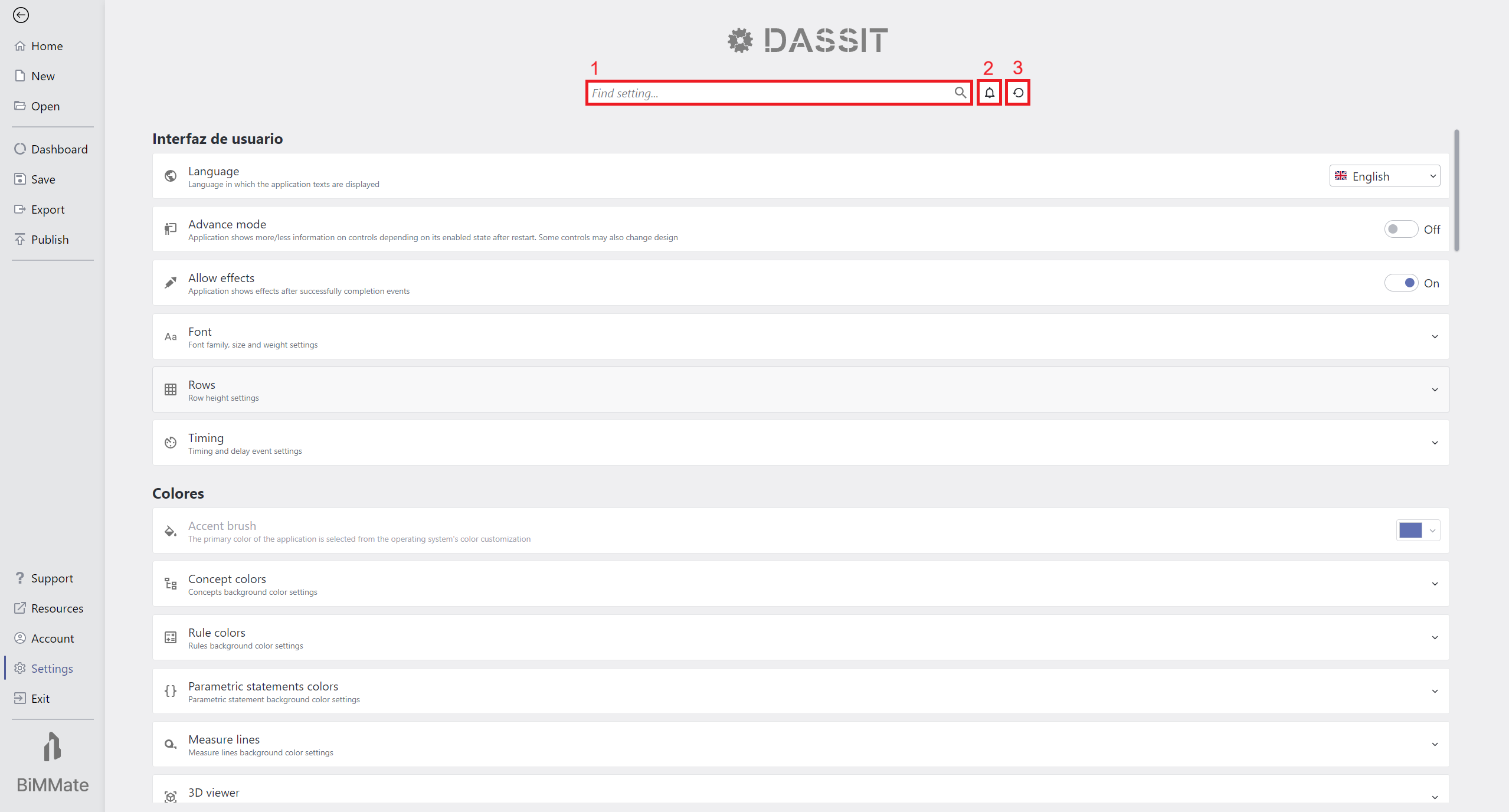
Backstage SETTINGS Tab overview
As other Backstage pages, this one includes a header on top of the scrolling content
The header includes a search box (1) to help you quickly find everything needed, plus some useful toggle buttons to:
- Show up messages (2)
 received from DASSIT’s server
 - Restore settings (3)
 to
factory defaults
to
factory defaults
Below the header, different auto-explanatory settings are presented like cards groupped by category
Context Menu
Section titled “Context Menu”The UI control does not contain a context menu