
NEW Tab
Summary
Section titled “Summary”This tab contains the available templates to start a new DASSIT’s document from
Description
Section titled “Description”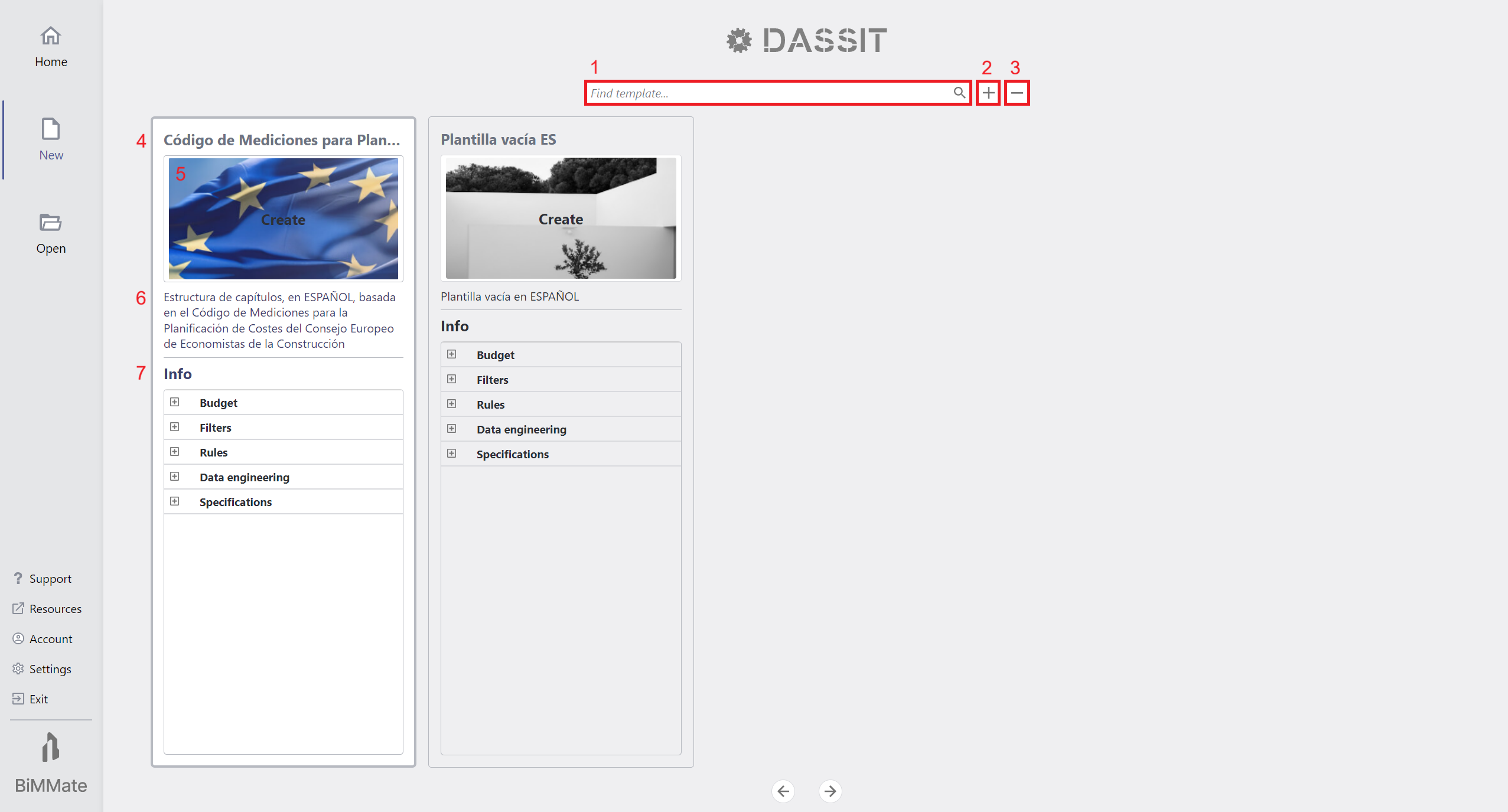
Backstage NEW Tab showing up available templates
On top of the page there is a header that allows for:
- Filtering available templates (1)
- Adding a new blank template to the collection (2)
- Removing selected template from disk (2)
Be aware that all templates are stored in the following folder: %AppData%\BIMMATE\DASSIT\Templates
Below, available templates are presented in card format holding the following information:
- Title of the template (4)
- Icon (5)
- Brief summary of its purpose (6)
- The content the new document will start with (7)
After selecting the desired template, you must click on the icon button to create a new document from it
Context Menu
Section titled “Context Menu”The UI control does not contain a context menu